✱COPIA

Clipboard history for Mac

Everything you copy. One keystroke away.

Hold ⌘, press V twice, and your recent copies appear. Pick one, let go, it's pasted. Private by design, end-to-end encrypted.

Coming soon

macOS 13 Ventura or later · Apple silicon · 30 languages

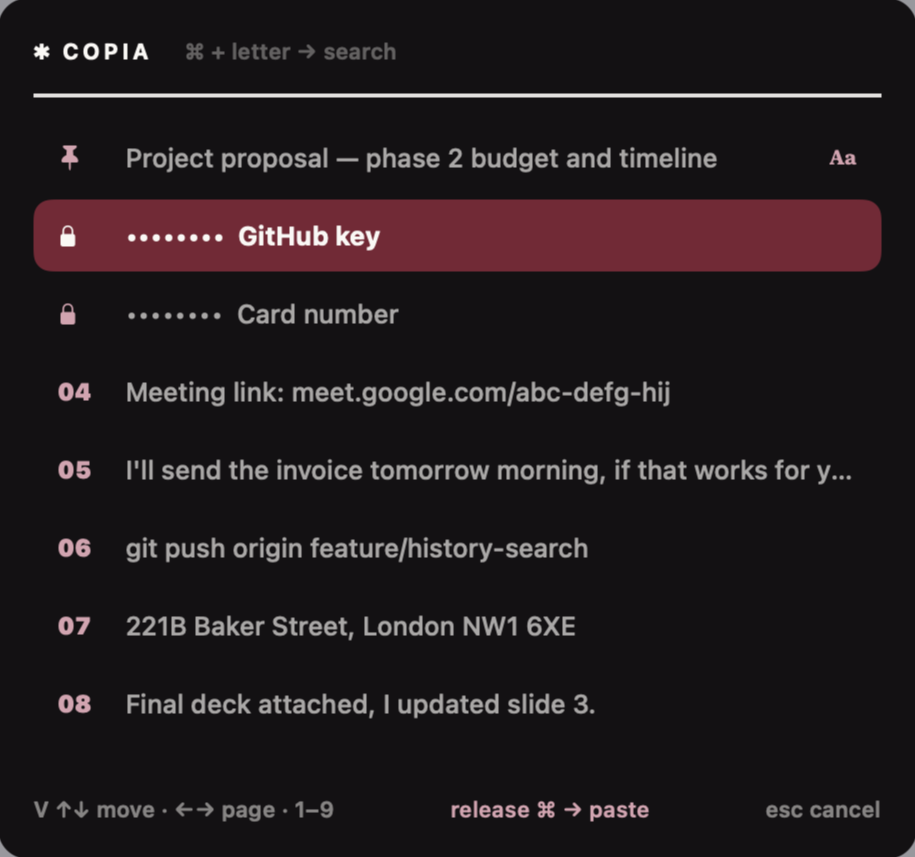
Copia's history panel listing recent copies, with two masked vault items

History

Paste anything you copied today.

Copia remembers text, links and images as you copy them, and keeps them where your hands already are.

  • ⌘ V V opens the list; keep tapping V or use the arrows to move.
  • Type a letter while holding ⌘ to search.
  • Press 1–9 to paste a numbered item directly.
  • Pin what you reuse, paste with or without formatting.
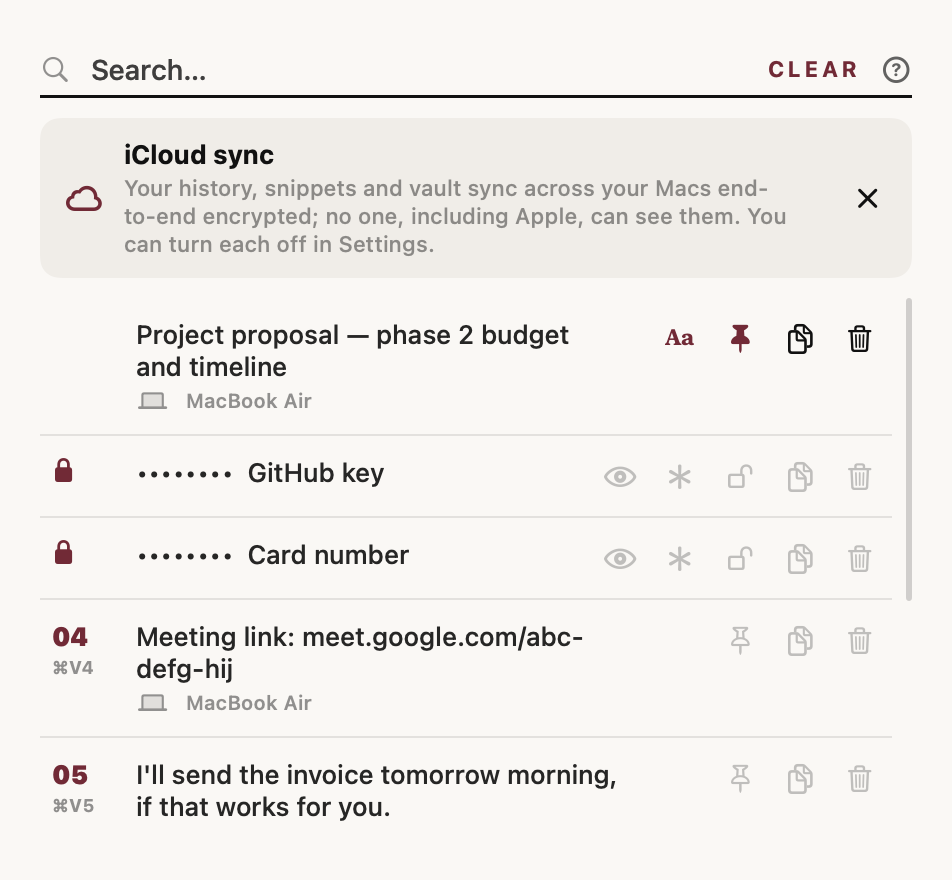
History list with search, pinned item and sync notice

Snippets

Type a shortcut, press Tab twice.

Save the text you write again and again. Variables fill themselves in:

  • {date}, {time}, {date +1} for today, now and tomorrow.
  • {ask:Name} asks you before pasting.
  • {cursor} puts your cursor exactly where you want to keep typing.
  • {clipboard} drops in what you just copied.
Snippet editor with colored variables Prompt asking for a name before pasting a snippet

Vault

Passwords, without the password manager dance.

In any password field press ⌘ V then tap ⇧. Pick a saved password, add one, or generate a strong one. Every use asks for Touch ID.

Vault items live in your iCloud Keychain, not in Copia's files. When Copia notices you copied a password, API key or card number, it masks it and forgets it after two minutes.

Vault picker opened in a password field

Privacy

Your clipboard is yours.

A clipboard manager sees a lot. So Copia is built to keep as little as possible, and to keep it locked. It recognizes passwords, API keys from 55+ services, card numbers, crypto recovery phrases and two-factor keys, and never writes them to disk or iCloud.

Encrypted on your MacHistory and images are stored with AES-256 encryption; the key never leaves your Keychain.
End-to-end encrypted synciCloud only ever receives encrypted data. No one, including Apple and us, can read it.
Touch ID for every secretThe Vault lives in iCloud Keychain and asks for Touch ID each time.
Secrets are not keptDetected passwords, keys, card numbers, recovery phrases and 2FA keys are never written to disk or iCloud.
Ignore apps and sitesNothing copied in password managers or apps and sites you choose is saved.
No keyloggingOnly the last few keys are held in memory to recognise Copia's own shortcuts.
No trackingNo accounts, ads or analytics. Copia talks only to your own iCloud.
Pause or erasePause saving for a while, or delete all data in one step from Settings.

Read the privacy policy → Security and standards →

AES-256on disk and in iCloud
0analytics, ads or trackers
2 minuntil a copied password is forgotten
30languages

Questions

Good to know

Why does Copia need Accessibility permission?

To paste for you and to recognise its shortcuts, macOS requires Accessibility access. Copia also uses it to tell when the focused field is a password field, so it can offer the Vault instead of history. It doesn't read or store what you type.

Does it sync between my Macs?

Yes, through your own iCloud account. History, snippets and the Vault can each be turned on or off in Settings. Everything is encrypted before it leaves your Mac.

What happens to items I delete?

Deleted snippets and Vault items go to a trash for 30 days, on all your Macs, so a mistake is easy to undo. History can also be cleared automatically at the end of each day.

Why isn't it on the Mac App Store?

Apple's App Store sandbox doesn't allow apps to check whether the field you're typing into is a password field. Copia relies on that to keep passwords out of your history, so it's distributed directly, signed and notarized by Apple.

Something isn't working. How do I report it?

Open Settings › Report a problem. Copia prepares a short log with no copied content, passwords or site names, and opens an email for you to review and send. Or write to flareappsofficl@gmail.com.